The Problem
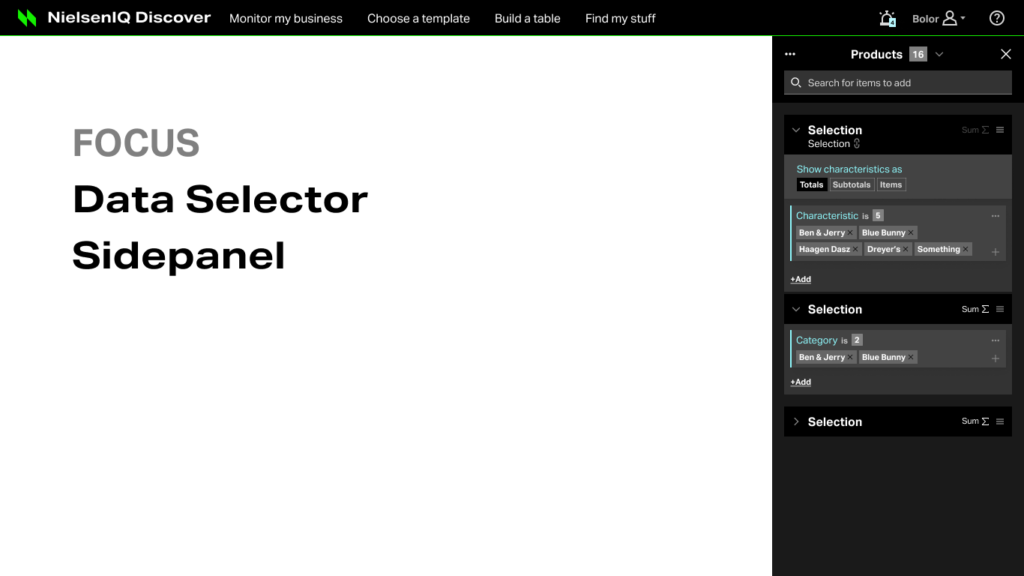
NielsenIQ needed a unified data selection interface for their enterprise BI platform. The existing system was fragmented across multiple tools, requiring analysts to navigate complex hierarchies of products, markets, and time periods. Users struggled with building queries that involved nested aggregations, conditional filters, and saved selections.
Solution & Approach
Designed a contextual side panel system with progressive disclosure, allowing users to start with common selections and drill down into advanced options as needed. Created a component library including selection groups, characteristic cards, folder navigation, condition builders, and validation patterns. The 84-page design specification documented every interaction state, edge case, and responsive behavior.
Details
Designed a comprehensive data selection system for NielsenIQ’s enterprise analytics platform, enabling users to build complex data queries through an intuitive side panel interface.
Overview
The Data Selector is a critical component of NielsenIQ’s business intelligence platform, allowing analysts to select products, markets, time periods, and metrics for reports and dashboards. The challenge was to make complex data querying accessible to non-technical users while maintaining the power needed by advanced analysts.
Key Design Challenges
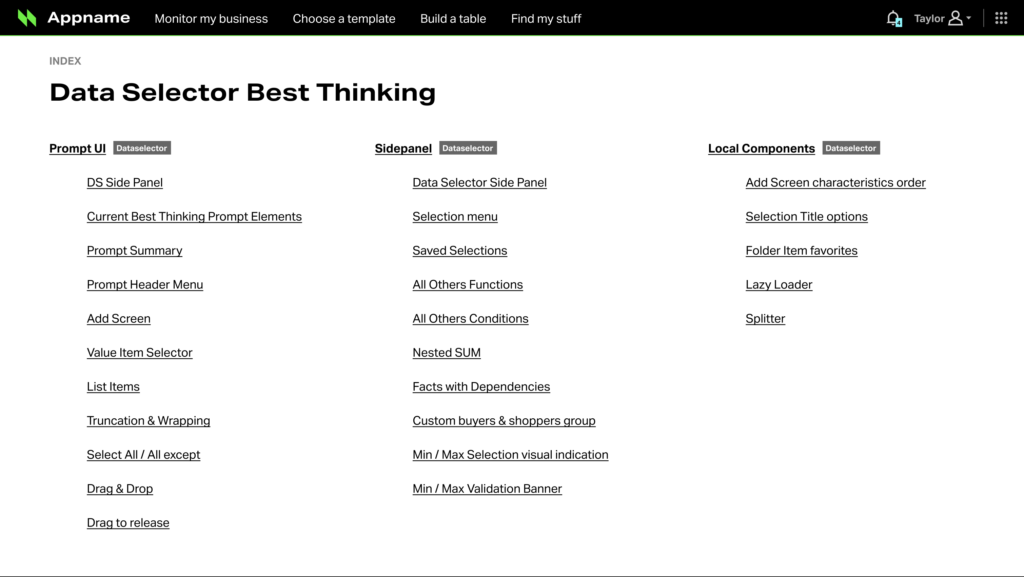
- Handling hierarchical data with thousands of items (brands, categories, UPCs)
- Supporting multiple selection modes (individual items, ranges, conditions, saved selections)
- Enabling nested SUM functions and complex aggregations
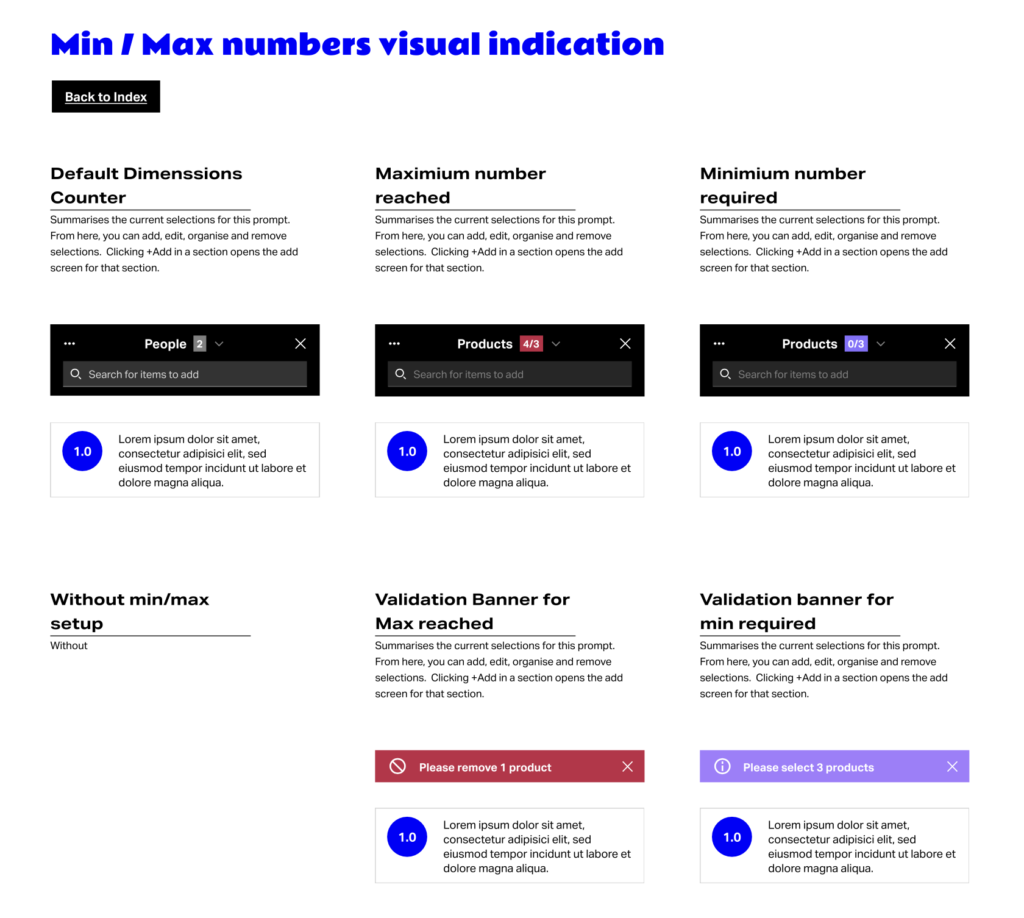
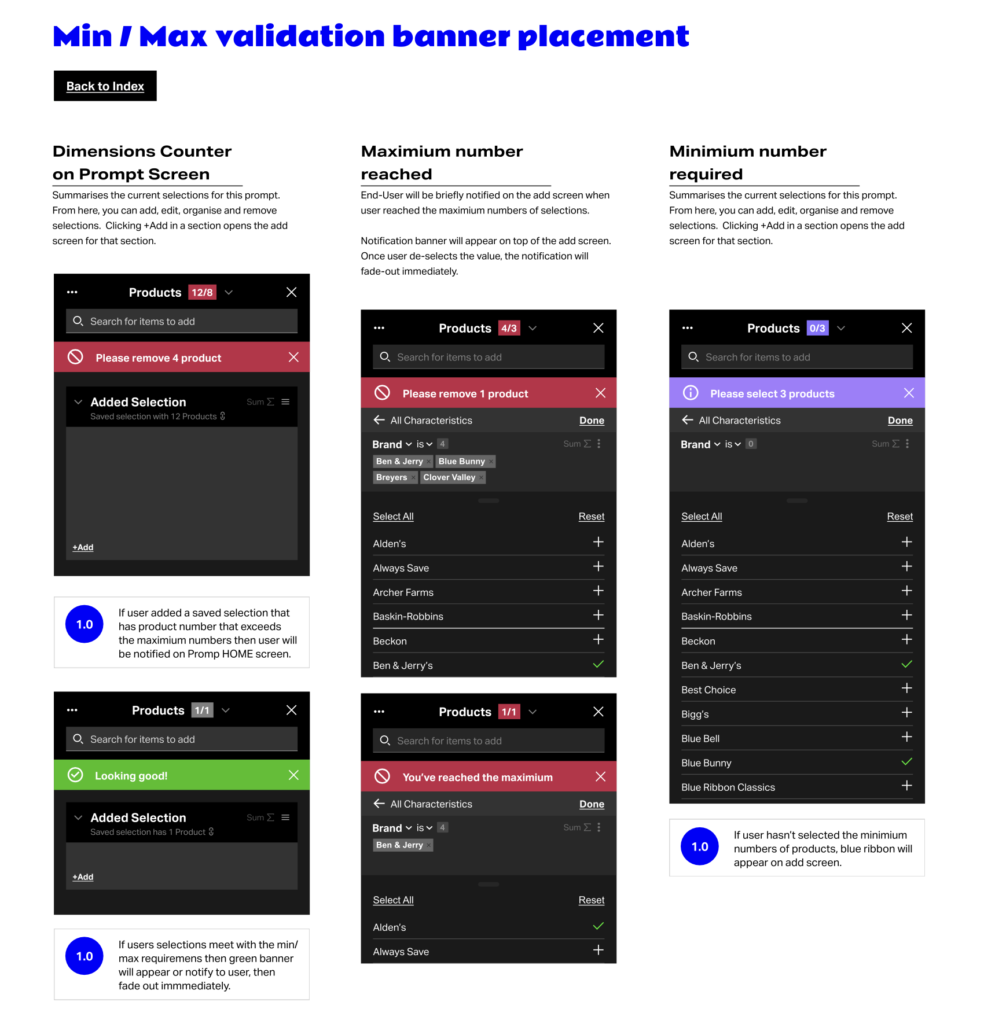
- Providing real-time feedback on selection counts and validation
- Managing min/max constraints with clear error states
Design Solutions
Progressive Disclosure Architecture
Created a multi-screen flow within a 336px side panel: Prompt Summary → Add Screen (Shortlist) → Add Screen (by Item Type) → Folder/Item Picker. Each level reveals more detail while maintaining context.
Selection Group System
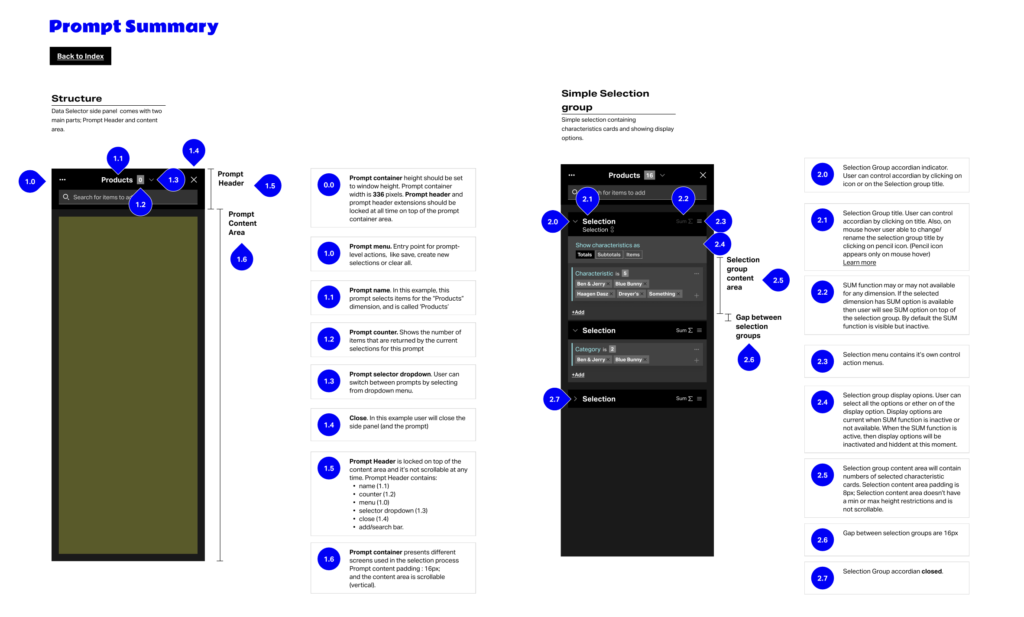
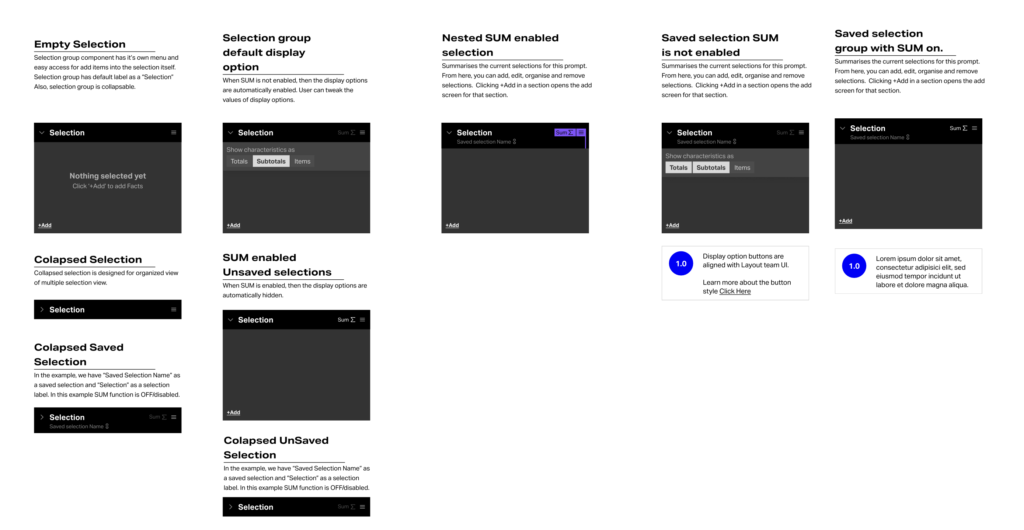
Designed collapsible selection groups with:
- SUM function toggle for aggregating values
- Display options (Totals, Subtotals, Items)
- Drag-and-drop reordering of cards and chips
- Inline editing of selection labels
Characteristic Cards
Developed a card-based UI showing selected items with expandable chip lists, hover states, and contextual menus. Cards support both collapsed (compact) and expanded views with ‘show more’ truncation for large selections.
Validation & Feedback
Implemented validation banners for min/max constraints, real-time item counters, and clear visual states for valid/invalid selections.
Component Library
Delivered a complete design system including:
- Side panel base architecture (336px width)
- Header with search, counter, and prompt selector
- Breadcrumb navigation for nested folders
- List items with folder hierarchy support
- Characteristic and folder selection cards
- Condition builder for dynamic queries
- Lazy loading patterns for large datasets
- Splitter component for resizable panels
Outcome & Impact
Delivered comprehensive design documentation adopted by the development team. The Data Selector became a core component used across NielsenIQ Discover platform, reducing query-building time and supporting complex analytical workflows for enterprise CPG clients.
Visuals